The Open Door

Continue the conversation.

An easy to use, helpful app so you can fully accomplish your ministry. Remember the people you meet and the conversations to continue.

The Open Door — Field Service Companion brand mark, an arched doorway open onto a warm kitchen interior
HOW IT WORKS

Three steps to better return visits

1
Add a contact
Save someone you met, or import from your phone. Names are optional.
2
Log the visit
Note the outcome and what you talked about — in a few taps.
3
See who to return to
Your dashboard brings the next conversation back to you.
CONTINUE THE CONVERSATION

Pick up exactly where you left off

Your home screen shows you the next person to see — ranked by how things are going with them, nearest to you, or longest since your last visit.
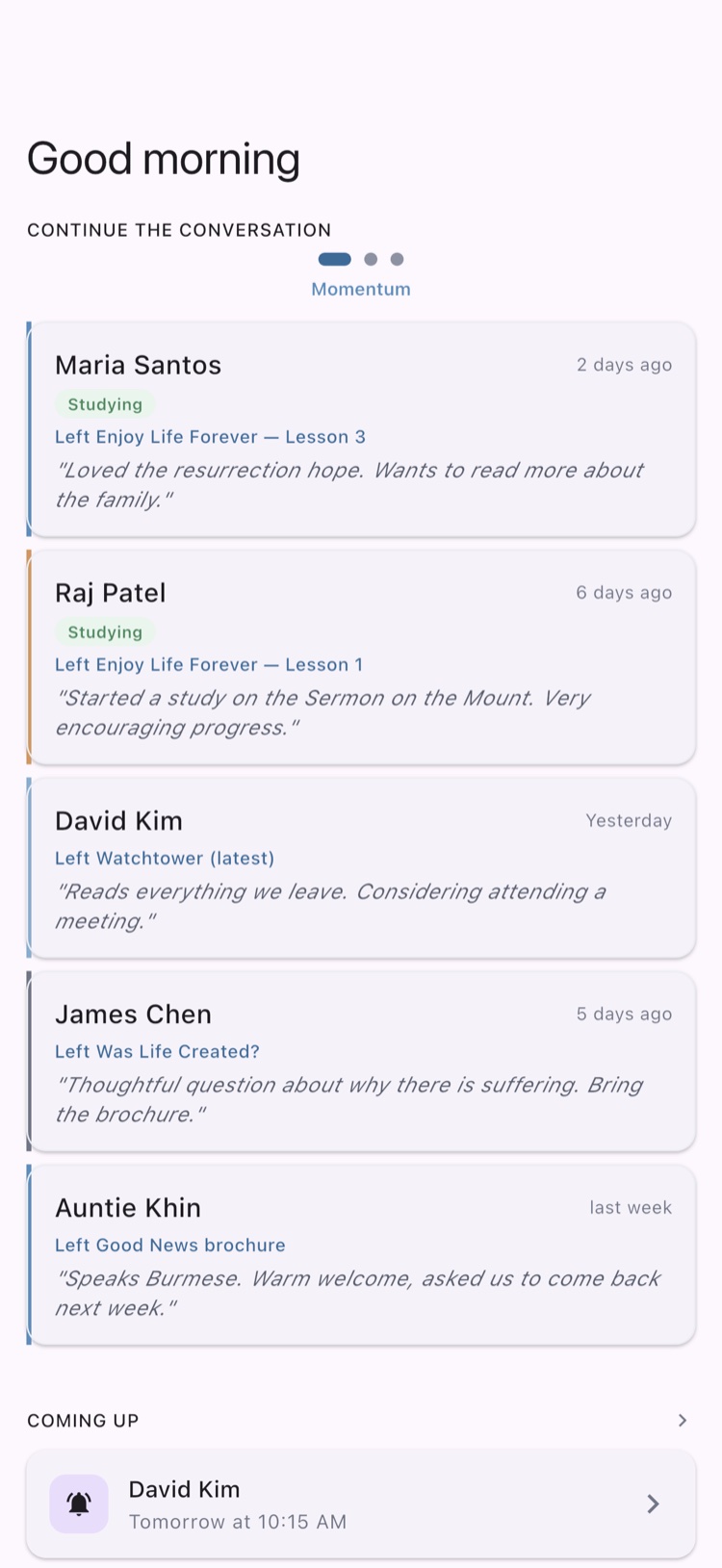
Field Service Companion dashboard screen: "Good morning — Continue the conversation" with a scrollable list of contact cards, each showing status, the last item left with them, and a short note, plus a Coming Up reminder below.
VISIT LOGGING

One tap to remember a visit

Make your notes in seconds — not-at-home, return visit, Bible study, and more. Note the literature you placed and edit the date if you logged it later.
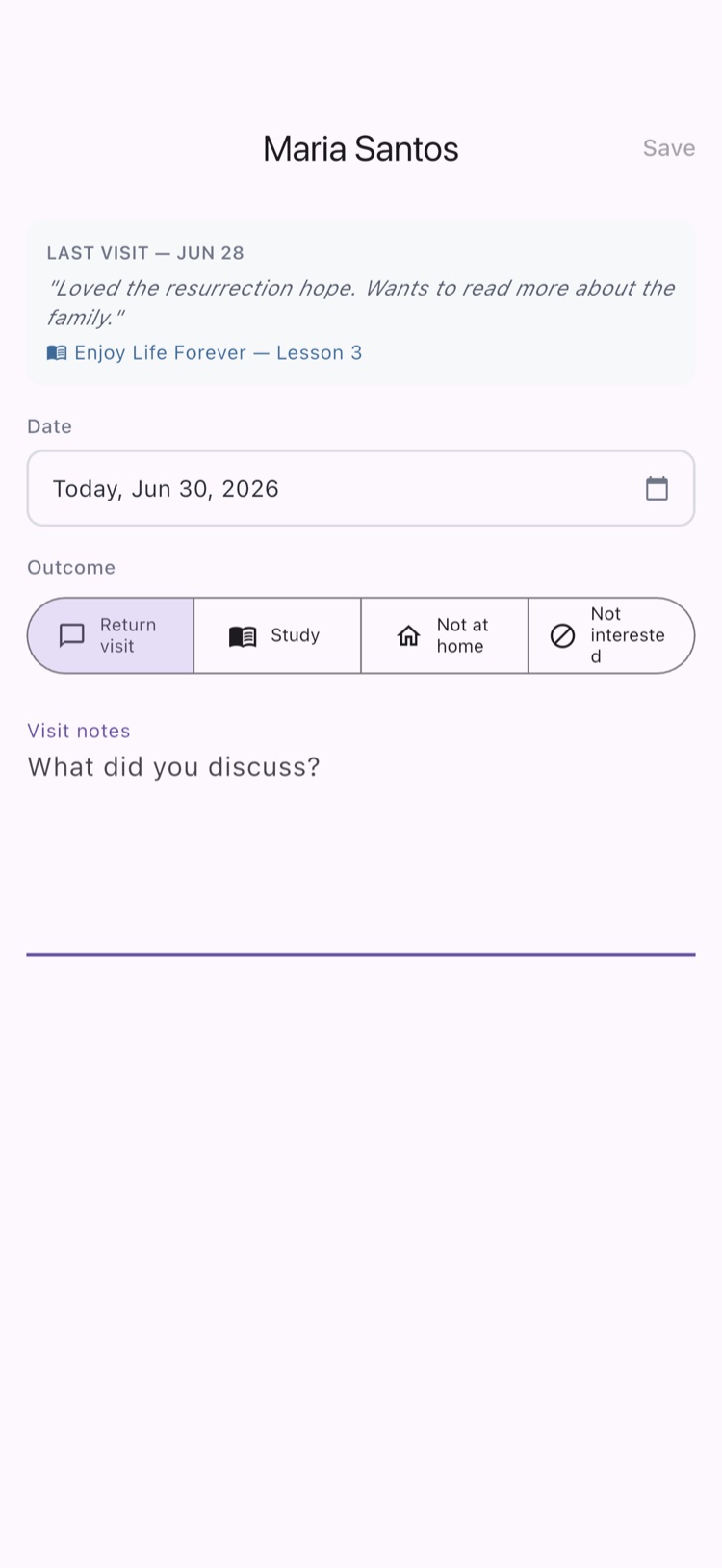
Log a visit screen for Maria Santos showing the last visit summary, an editable visit date, outcome choices (Return visit, Study, Not at home, Not interested) with Return visit selected, and a visit notes field.
MAP & DIRECTIONS

See your territory, hand off the drive

Contacts appear on the map around your current location. One tap opens directions in your favourite maps app, or text the driver your call's address so they can drive you to it!
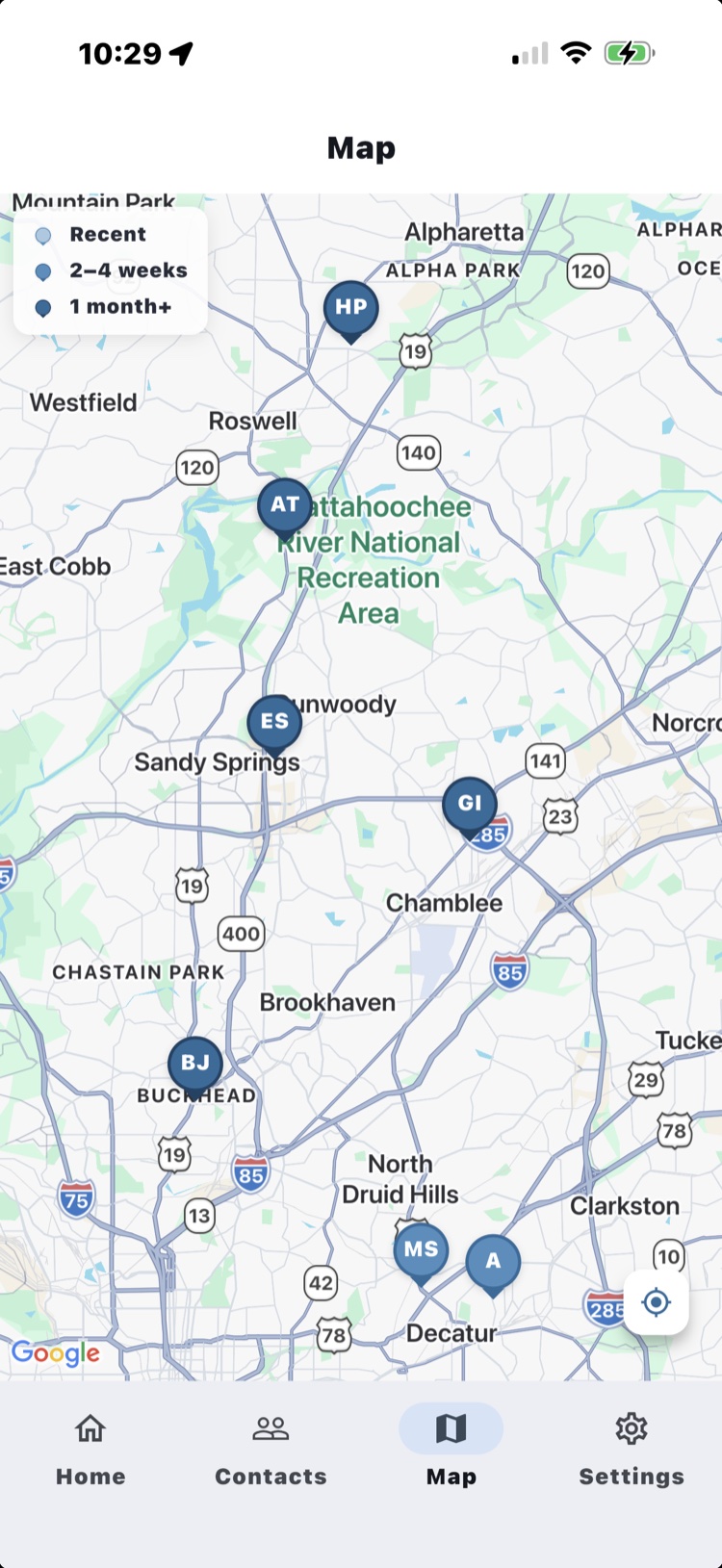
Map screen centered on a metro Atlanta territory showing pinned contacts colour-coded by recency (Recent, 2–4 weeks, 1 month+), a current-location button, and the bottom tab bar.
PRIVATE BY DESIGN
Personal data is encrypted on your device. There is no server that can read it.
QUESTIONS

Frequently Asked Questions

Does it cost anything?
No — the app is free to use.
Is my data safe if I lose my phone?
Your data is encrypted on your device. Set up a local backup with your six-word recovery phrase so you can restore it yourself — just keep the phrase somewhere safe.
Is this an official app?
No. It's a personal tool made by a fellow publisher — not affiliated with, nor endorsed by, Jehovah's Witnesses.
Do I need an account?
You sign in once with Apple or Google on first launch. After that it works offline — the map is the only part that needs a connection.

Ready to continue the conversation?

Free to use. Private by design. Yours in a couple of taps.